
As your kids grow, their freedom with technology should grow with them. That doesn’t mean handing over a wide-open internet one day and hoping for the best.
When I train parents, I use a simple “scale of freedom.” It starts with complete lockdown in the preschool years and moves, stage by stage, toward wide-open access in young adulthood. I’m not trying to help you control your child forever. God has entrusted these kids to us for a season, and our job is to get them ready to leave it. So we let them practice freedom a little at a time, with guardrails that fit where they are.
Why a scale of freedom works better than one set of rules
A second grader and a high schooler shouldn’t have the same access. One set of house rules can’t cover every child, or even the same child from one year to the next.
When privileges grow with maturity, your kids get to carry more responsibility while you’re still close enough to help. The filters, time limits, and family agreements don’t go away. They change as your child is ready.
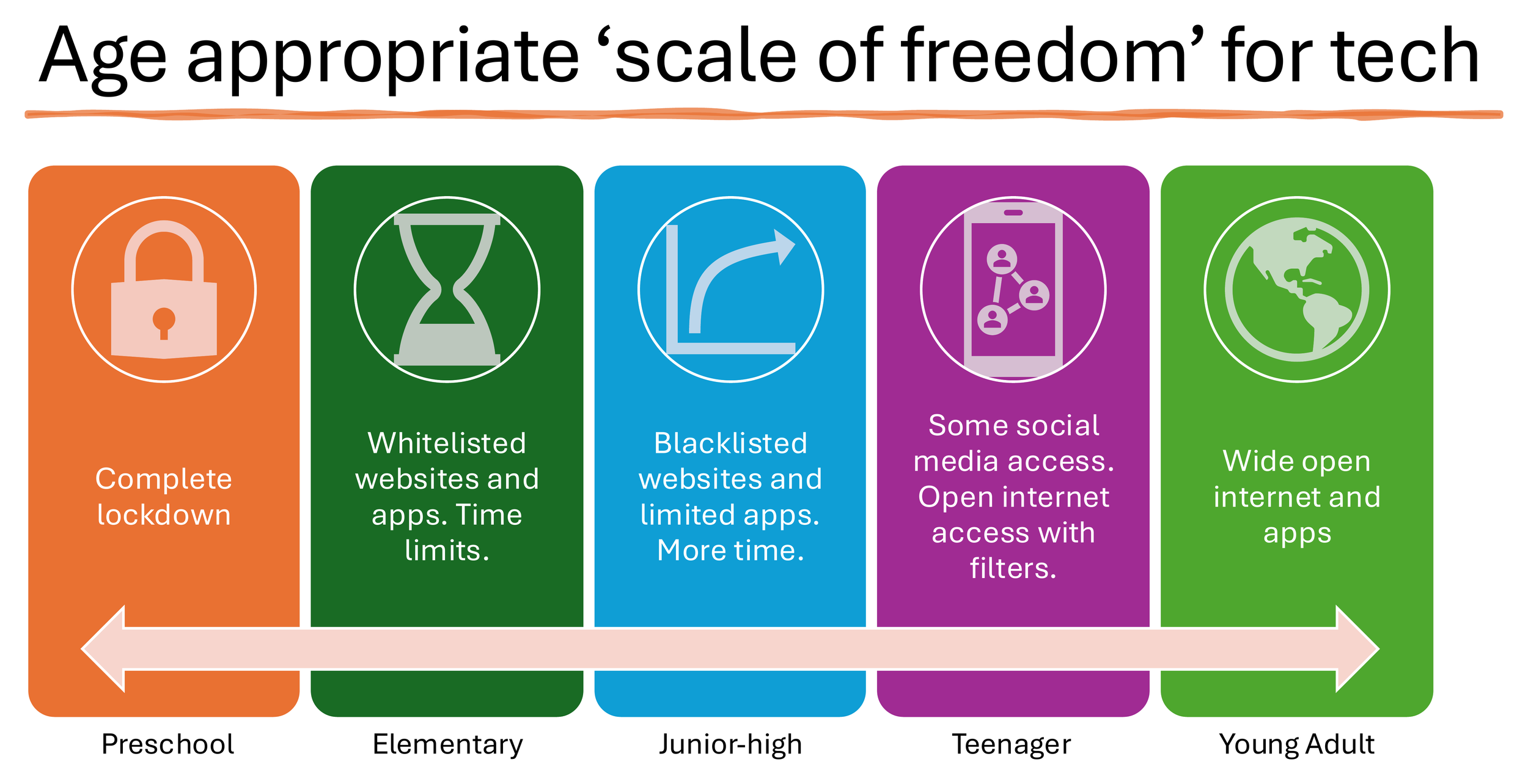
Here’s the whole scale in one place. I’ve kept it to stages rather than exact ages, because every child matures differently and every family will apply it a little differently.
| Stage | Devices | Internet | Apps | Social media | Messaging |
|---|---|---|---|---|---|
| Preschool | Complete lockdown | Complete lockdown | Complete lockdown | None | Complete lockdown |
| Elementary | Time limits | Whitelist: approved sites only | Whitelist: approved apps, with time limits | Not yet | Limited to approved contacts |
| Junior high | More time | Blacklist: specific sites blocked | Limited apps, with more time | Not yet | Still limited, with more room |
| Teenager | Growing freedom, with limits | Open internet, with filters | Broader access, with filters | Some, with limits | Growing freedom, with limits |
| Young adult | Wide open | Wide open | Wide open | Open | Open |
Preschool: complete lockdown
At this age, the right setting is complete lockdown. No independent internet, no open apps, and no social media or messaging they can use on their own.
If a device is used at all, it’s shared and supervised: you’re sitting with them and you’re choosing what’s on the screen. A preschooler isn’t ready to make those choices alone, so you make them.
Elementary: whitelisted websites and apps, with time limits
In the elementary years, I recommend a whitelist for both websites and apps. Only the ones you’ve already approved get through. Nothing else. Set time limits too, on the whole device and on individual apps.
This is a walled garden. Your child can explore, but only inside a space you’ve already looked at and said yes to. You can also limit who they text or call, and whether they can join group threads. For more on how a whitelist works, see my guide to whitelisting vs. blacklisting websites.
Junior high: blacklisted sites, limited apps, more time
As kids mature, holding them to a handful of approved sites gets harder to maintain, and it can turn into a constant point of conflict. This is where I move families to a blacklist: you block the sites you don’t want them on and allow more of the rest. Apps are still limited, but they get more time than before.
This is a middle step, not the finish line. They have more room to practice, but no open internet and no social media yet. Keep the communication limits in place as well: who they can text or call, and which group threads they’re in.
I’ll be honest: in my own house, I haven’t made that move yet. My junior high kids are still on a whitelist. What makes it workable is exceptions. They often ask me for something specific, like a game or an article, and I can approve that one item without opening up everything else. It keeps the conflict down, and every request turns into a short conversation about what they want and why. That’s the point of a scale like this. The stages are a guide, and there’s more than one way to work within them. You move when your kids are ready.
Teenagers: some social media, open internet with filters
The teen years are when some social media may be appropriate and internet access can widen. The words that matter are some and with filters.
Social media is a later privilege, not a default, and it should come with limits and regular review.
It’s also optional. In our house, we’ve decided not to have social media at all, and that includes the adults. We just don’t find it helpful for how we want to spend our time as a family. That’s our choice, and each family has to make its own.
The internet can be more open than it was in junior high, but it still runs through content filters. My Content Filtering 101 guide explains the layers that make that possible.
Keep using the tools built into the phone or computer: time limits, app approval, and limits on messaging. If you’re choosing a first phone, the Phones for kids guide compares simpler options with a regular smartphone.
Young adults: wide-open access, with ongoing wisdom
By young adulthood, the scale reaches wide-open internet and apps. That’s not the same as you stepping away.
Locks matter less now. Accountability matters more, and filters may still have a place. The emphasis shifts to self-control, which is something God grows in a person and no app can install. It also shifts to the relationships that help a young adult keep walking in it, and your relationship with them is one of those.
How to move a child up a stage without dropping the guardrails
Moving up a stage should be a decision, not a drift. Before you loosen anything, ask whether your child is ready, and pray about it.
Your child may be ready for the next stage when:
They stay within the current limits without constantly looking for a way around them
They come to you when they run into something confusing or unwise
They handle the freedom they already have, time limits included, without a regular fight
You’ve talked together about what will be new and what will stay in place
If those things aren’t true yet, it’s okay to wait, or even to step back a stage. Tightening a privilege isn’t a failure, and it isn’t a punishment. It’s part of how they learn, and it gives you a chance to show them grace along the way.
Whatever stage you’re in, revisit your settings as your kids grow. The right setup last year may not be the right setup this year.
If you’d like help matching this scale to the devices in your house, PureFam can do a family device audit and set the right stage on each phone, tablet, and laptop. We also offer group training for schools, churches, and parent groups that want to walk through the scale together.